
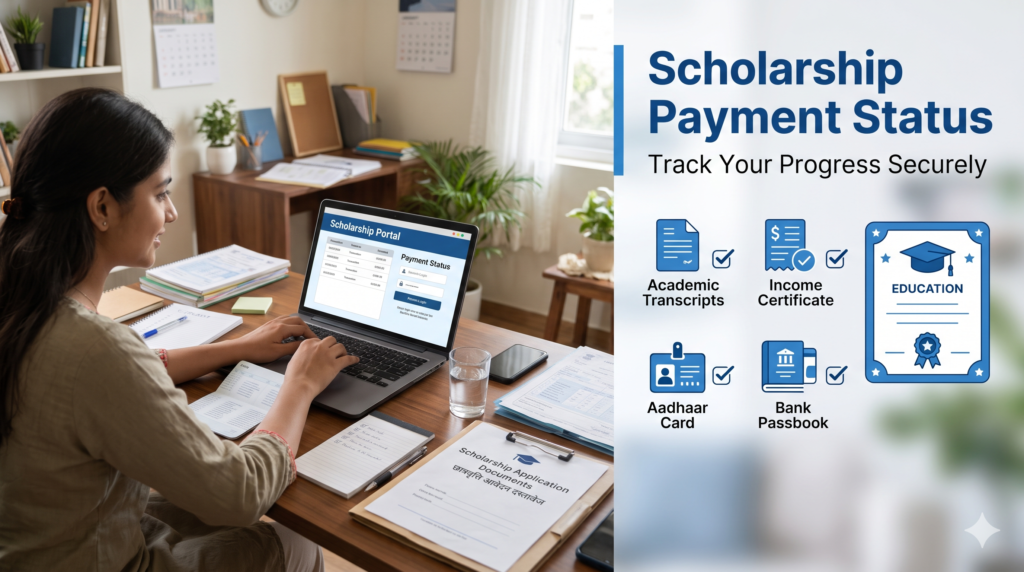
How to Check Scholarship Payment Status Online in India
Table of Contents
Students often wait for scholarship money to pay tuition fees, buy books, travel to college or manage other education expenses. After submitting an application, one of the most common questions is whether the scholarship has been approved and when the amount will reach the bank account. The good news is that many students can check scholarship payment status online through official government portals.
The process depends on the scholarship scheme. Students applying through the National Scholarship Portal (NSP) may use NSP to review application progress and the Public Financial Management System (PFMS) to track eligible payment transactions. This guide shows how to check scholarship payment status using the appropriate official route. State scholarship schemes may have their own portals and payment-tracking systems.
This guide explains how to check scholarship payment status online, which details you may need, what common status messages mean and what to do if the money has not arrived. Always use official government websites and remember that a payment status is not the same as final approval of a scholarship application. For broader scholarship information, read our guide to Government Scholarships for Students in India and our overview of Government Schemes for Girls Education.
What Is Scholarship Payment Status?
The scholarship payment status shows the latest available information about the transfer of a scholarship amount. Checking scholarship payment status regularly can help you identify whether further action is needed. Depending on the portal, it may indicate whether a payment has been initiated, processed, returned, failed or credited.
It is important to understand the difference between application status and payment status. Application status tells you whether your form is submitted, verified, pending, approved or rejected. Payment status relates to the transfer of money after the necessary approval and payment steps.
If your application is still awaiting verification, the scholarship payment status may not show a payment transaction yet. That does not automatically mean your application has been rejected. First check the application section on the portal where you applied.
Official Portals to Check Scholarship Payment Status
1. National Scholarship Portal
The National Scholarship Portal is used for several central government scholarship schemes and other schemes onboarded on the portal. The NSP student page provides access to application services and a separate option to track scholarship payments through PFMS.
Visit the official NSP Students page. Students who want to check scholarship payment status should first confirm that their application details are available on the correct academic-year portal. Sign in with your required credentials to review your application for the relevant academic year. The portal states that One Time Registration (OTR) is mandatory for scholarship applications from the relevant academic years and that students can use their OTR ID and password for application services.
Use NSP to review the progress of your form. To check whether a payment transaction has been recorded, follow the portal’s Track Your Payment option, which directs students to PFMS.
2. Public Financial Management System (PFMS)
PFMS is the government platform used to track certain government payments, including scholarship disbursements routed through the system. Its public payment services include the “Know Your Payment” option.
Visit the official PFMS website and open the payment-tracking service. This is a key route for checking scholarship payment status when the scheme’s payment is routed through PFMS. Depending on the available option, you may be asked for bank details, an application reference or other information. Enter details only on the official website.
Students often use PFMS when they want to check scholarship payment status after the scholarship has moved into the payment process. You can also read our National Scholarship Portal online application guide for help understanding the application side of the process. PFMS may not show a transaction if the application is still being verified or the payment file has not yet reached the payment system.
3. State Scholarship Portal
Some state scholarships are managed through state-specific portals. For example, students in Uttar Pradesh should consult the official state scholarship portal, while students in West Bengal should check the relevant state scheme’s official website.
Do not assume that every state scholarship can be tracked through NSP. If you cannot check scholarship payment status on NSP, confirm whether your state operates a separate tracking portal. Check the application acknowledgement and the official instructions for the scheme you applied to. If the state portal provides a separate payment-status page, use that page.
How to Check Scholarship Payment Status on PFMS
Follow these general steps to check scholarship payment status through PFMS. The instructions are general because the portal may display different fields for different payment services. The exact page layout and required fields can change, so follow the instructions shown on the official portal.
Step 1: Open the official PFMS website
Go to pfms.nic.in. Check the web address carefully before entering any personal or bank information. Avoid links sent by unknown people or unofficial social media accounts.
Step 2: Find “Know Your Payment”
Look for the “Know Your Payment” service on the PFMS website. The service is intended to help beneficiaries view payment information available in the system.
The portal may present different tracking options depending on the payment type. Choose the option that matches your scholarship or transaction.
Step 3: Enter the requested details
The portal may ask you for information such as your bank name, bank account number, confirmation of the account number, captcha or other identifying details. These details help the system find the transaction when you check scholarship payment status. A scholarship-specific tracking route may request an application ID or additional scheme details.
Enter only the details requested by the official page. Never share your bank PIN, internet banking password or one-time password with anyone offering to check your scholarship for you.
Step 4: Submit the form
Review the information and submit it using the page’s search button. If the details are correct and the system has a matching record, it may display available transaction information.
If no record appears, check the entered details and try again carefully. A missing result does not by itself prove that the scholarship has been rejected.
Step 5: Read the transaction details
Check the displayed payment date, transaction reference and status, if available. Save the reference details for your records. If the payment is marked successful but the money is not visible in your usual account, check the bank account connected with the payment route and contact your bank if necessary.
This process is one way to check scholarship payment status, but it only shows the information available to the portal at that time.
How to Check Scholarship Application Status on NSP
Payment tracking and application tracking are different. If your goal is to check scholarship payment status, make sure you are using the payment option rather than only the application-tracking page. If you want to know whether your form has been verified or approved, check your application status on NSP.
- Open the National Scholarship Portal.
- Sign in using the login method required for your academic year and scheme.
- Open the fresh or renewal application section as applicable.
- Find the relevant scholarship application.
- Review any status message, pending action or correction request.
- Save the acknowledgement or reference number for follow-up.
The current NSP website provides student login and application services. Some older application-status pages may cover specific earlier academic years, so use the appropriate route for your own application.
If the application is pending at school, college or institute level, contact the institution’s scholarship nodal officer. If it is pending with a state or ministry authority, follow the official instructions for that scheme.
Remember that checking scholarship payment status is useful only after you understand whether the application has reached the payment stage. If verification is incomplete, contact the authority responsible for that step rather than repeatedly searching the payment portal. You can check scholarship payment status again after the application moves forward.
What Do Common Scholarship Status Messages Mean?
The wording differs between portals, and a status label should be interpreted according to the explanation shown by the relevant authority. Common descriptions may include the following.
Application submitted
This usually means the form has been submitted to the portal. It does not necessarily mean that the institution or government authority has verified or approved it.
Verification pending
The application is waiting for an institution, district, state or other designated authority to review it. Contact the relevant office if the deadline has passed or the portal instructs you to follow up.
Approved or sanctioned
This generally indicates that the application has passed a specified approval stage. It does not always mean the money has already been credited. Payment processing may be a separate step.
Payment initiated or processing
The payment may have entered a processing stage. Check again later if the portal indicates that the transaction is still in progress.
Payment successful
The payment system reports a successful transaction. If the amount is not visible in your expected account, verify the account details and check with your bank. If the scholarship uses an Aadhaar-based payment route, the linked account used for the transfer may matter.
Payment failed or returned
A transaction may fail or be returned for reasons such as invalid account details, account restrictions, bank validation problems or other payment issues. Check the official status explanation and contact the scheme’s helpdesk or bank as appropriate.
No record found
The system may not have a matching transaction, the payment may not yet have reached PFMS, or the details entered may not match the record. Recheck the details and review the application status separately.
Do not treat every pending or missing transaction as a rejection. A careful review of scholarship payment status alongside the application status can help you identify the next step. Use the official portal’s explanation to decide the next step.
Why Has My Scholarship Money Not Arrived?
There are several possible reasons why students cannot see a scholarship credit even after applying.
Verification is incomplete. The application may still be with the institution or a government authority.
The scholarship has not been sanctioned. Some schemes require several approval stages before the payment process begins.
Payment processing is ongoing. There can be a gap between approval, payment file processing and the bank credit.
Bank details need correction. An incorrect account number, account-holder mismatch or other validation issue may prevent successful transfer.
Aadhaar or bank mapping needs attention. Some payments use Aadhaar-based payment mechanisms. If the scheme’s instructions require Aadhaar seeding or a particular bank-mapping status, confirm the requirement with your bank and the official portal.
The bank has returned the transaction. The payment record or bank may show a failed or returned transaction. Follow the instructions for resolving it.
The scheme follows its own release schedule. Different scholarships have different approval and disbursement timelines. There is no single payment date that applies to every government scholarship.
When you check scholarship payment status, use the result together with the application status and any notice from the scholarship authority. Keep a note of the date you checked and any reference number displayed. This gives a clearer picture than relying on a single message.
What to Do If Scholarship Payment Status Shows Failed
If your scholarship payment status shows failed, returned or an equivalent message, follow these steps.
- Read the complete status message and note the transaction reference.
- Check that the bank account details submitted with the scholarship application are correct.
- Contact your bank to confirm that the account is active and can receive the relevant transfer.
- If the scheme uses Aadhaar-based payments, ask the bank to check the required Aadhaar seeding or NPCI mapping status.
- Contact your institution’s scholarship officer or the official scheme helpdesk with your application number and payment reference.
- Correct information only through the authorised portal or process. Do not submit a new application unless the scheme’s instructions tell you to do so.
Keep copies of relevant acknowledgement slips, bank messages and official replies. These records can make it easier to explain a problem when you contact the authority about scholarship payment status. Do not post your Aadhaar number, full bank account details or other sensitive information publicly while asking for help.
How to Check Scholarship Payment Status Without an Application ID
Some PFMS payment services allow a beneficiary to search using the details requested on the page, which may include bank information. A separate scholarship-specific route may ask for an NSP application ID or other scheme details.
If you do not have your application ID, first check your saved acknowledgement, registered email, SMS messages or student login. These records can help you retrieve the details needed to check scholarship payment status. The relevant portal may allow you to retrieve or view application information after signing in.
Do not assume that every tracking service works without an application ID. Follow the exact instructions displayed on the official portal, and never give your password or OTP to a third party.
If you still cannot find your reference number, contact your institution’s scholarship office or the official portal helpdesk. They may ask you to verify your identity before providing application-specific assistance.
How Long Does Scholarship Payment Take?
There is no universal timeline for every scholarship. The time needed for scholarship payment status to change depends on the scheme’s verification and payment process. The time required depends on the scheme, verification stages, approval, budget and payment processing. State schemes and central schemes may follow different schedules.
A payment can take time even after an application has been submitted. Students should check whether the application is verified and sanctioned before expecting a bank credit.
If the official portal shows that the payment has been processed but the amount is missing, note the transaction reference and contact the bank or the designated helpdesk. Recheck scholarship payment status after receiving guidance from the bank or scheme authority. If the application is still pending, contact the authority shown in the status rather than assuming that the payment has failed.
When you check scholarship payment status regularly, avoid submitting duplicate applications or making repeated changes unless the official instructions require them. Duplicate or inconsistent information can create additional confusion.
Official Help and Grievance Options
For NSP applications, use the helpdesk and grievance options listed on the official NSP public page. The portal provides access to NSP and PFMS helpdesk information.
The NSP website lists a toll-free PFMS helpdesk number of 1800 118 111 and the email address helpdesk-pfms@gov.in. Check the current official helpdesk page before contacting support, because contact details or working arrangements can change.
For a state scholarship, contact the department or portal that administers that scheme. Your school or college scholarship nodal officer may help clarify whether the application is awaiting institution verification.
When contacting support, provide the application reference and the status message, but share sensitive information only through the official secure process. Adhikar Kendra is an independent information website and cannot approve scholarships or release payments.
Important Safety Tips
Use only official government websites for scholarship tracking. This is especially important when entering details to check scholarship payment status. Government portals do not require you to pay an unknown person to release a scholarship.
Never share your OTP, bank PIN, internet banking password or card security details with someone who claims to speed up a payment. Do not install unknown apps or screen-sharing tools at the request of a stranger.
Save the application acknowledgement and keep a record of official communication. These details are useful whenever you need to check scholarship payment status again. If a person asks for money in exchange for guaranteed approval, treat it as a warning sign and contact the relevant authority through its published contact details.
Frequently Asked Questions
1. How can I check scholarship payment status online?
For an NSP-linked payment, open the official NSP Students page and use its Track Your Payment option to reach PFMS. This is the recommended starting point for scholarship payment status when PFMS handles the transfer. Follow the instructions shown on the official portal.
2. Can I check scholarship payment status on PFMS?
Yes, where the scholarship payment is routed through PFMS. The portal can show scholarship payment status if a matching payment record is available. Use the official PFMS payment-tracking service and enter the details requested for that tracking option.
3. What is the difference between application status and payment status?
Application status shows progress in submission, verification or approval. Payment status shows transaction information once a payment record is available.
4. Why does the portal show no payment record?
The payment may not have reached the system, the application may still be under verification, or the entered details may not match. Review both application and scholarship payment status before deciding what to do. Review application status and check the information carefully.
5. What should I do if my scholarship payment failed?
Note the status and transaction reference, check your bank details, contact your bank if needed, and follow the scheme’s official helpdesk or correction process.
6. Can I track payment without an NSP application ID?
Some PFMS services may offer other search methods, while scholarship-specific tracking may require an application ID. Follow the instructions on the official page.
7. Does “approved” mean the scholarship money has been credited?
Not always. Approval and payment processing are separate stages. Check the payment portal and your bank account for the transaction.
8. Is there a fee to check scholarship payment status?
Official government status-checking services are intended for beneficiaries to use directly. Do not pay an unknown agent or person who promises to release the scholarship.
Conclusion
Students can often check scholarship payment status online through the National Scholarship Portal, PFMS or the relevant state scholarship website. The correct method depends on where the application was submitted and how the scheme processes payments.
First review the application status, then use the appropriate payment-tracking option. Keep your scholarship payment status reference and official acknowledgement ready if you need help. If a payment is pending or failed, read the status message, verify your bank details and contact the responsible institution or official helpdesk. Keep your reference number safe and never share OTPs or banking passwords.
Adhikar Kendra provides general information to help students navigate public services. It is not a government department and cannot guarantee scholarship approval or payment.