
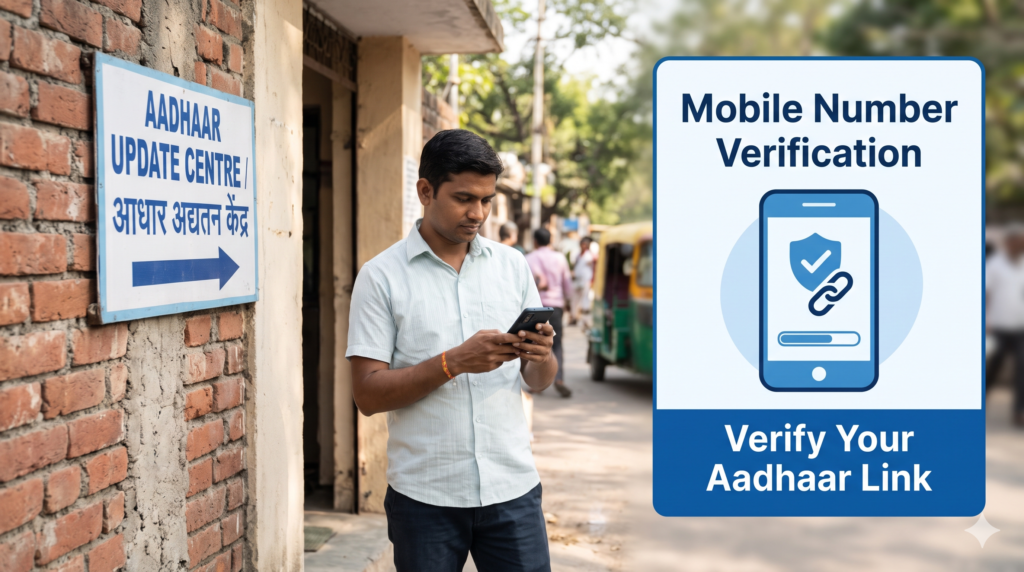
How to Update Mobile Number in Aadhaar Online or Offline
Table of Contents
Your mobile number linked to Aadhaar is important for receiving OTPs and accessing various Aadhaar-related services. If you have changed your SIM card, lost your old number, or want to register a new number, you should check the current process provided by the Unique Identification Authority of India (UIDAI).
The good news is that the process has changed. UIDAI’s official Aadhaar app now provides a mobile-number update facility for eligible users. However, not everyone can complete the process through the app. Some people must visit an authorised Aadhaar centre, particularly if they no longer have access to their old registered number or are registering a mobile number for the first time.
This guide explains the Aadhaar mobile number update process, online and offline options, applicable charges, documents, verification steps, and how to check the status of your request.
Why Is Your Mobile Number Linked to Aadhaar Important?
Your registered mobile number helps you receive OTPs and access services that require mobile verification. If your old number is inactive or belongs to someone else, you may face difficulty using services that depend on that number.
You may need an Aadhaar mobile number update if:
- You have changed your mobile network or phone number.
- Your old SIM card has been lost or damaged.
- Your old mobile number has been disconnected.
- You want to register a new number with Aadhaar.
- You cannot receive OTPs on the number currently registered.
- You need to use Aadhaar-related digital services that require mobile verification.
Before starting an Aadhaar mobile number update, check whether you can still access the old registered number. This matters because the verification process through the official app depends on your circumstances.
Can You Update Your Aadhaar Mobile Number Online in 2026?
Yes, in eligible cases. UIDAI’s current Aadhaar app FAQ explains how users can update their mobile number through the official app. Depending on whether the app is registered with the old Aadhaar-linked number, you may need to verify the new number or both the old and new numbers using OTPs, complete face authentication, and pay the prescribed charge.
However, the app is not a universal solution for every applicant.
You generally need to visit an authorised centre if:
- You do not have access to your old registered mobile number.
- No mobile number has ever been registered with your Aadhaar.
- The app cannot complete the required verification.
- UIDAI directs you to an Aadhaar centre for your particular case.
The Aadhaar mobile number update process therefore depends on your existing registration and your ability to complete the required authentication.
Use the official UIDAI website, uidai.gov.in, to find current instructions and links to official Aadhaar services. Avoid unofficial apps or websites that ask for sensitive information while claiming to update Aadhaar instantly.
Method 1: Aadhaar Mobile Number Update Through the Official App
UIDAI’s official Aadhaar app includes a facility for updating a mobile number without visiting an Aadhaar Seva Kendra in eligible cases. The app’s current FAQ describes different verification steps depending on which number is registered with the app.
Follow these steps.
Step 1: Install or open the official Aadhaar app
Find the official Aadhaar app through a trusted app store and verify the publisher before installing it. You can start from UIDAI’s official website if you are unsure which app is genuine.
Do not enter your Aadhaar details into an unfamiliar app that claims to provide the same service.
Step 2: Register or log in
Open the app and follow the registration or login instructions. Complete any requested verification using the number and credentials associated with your current app registration.
The Aadhaar mobile number update process may differ depending on whether the number used to register the app is the same as the mobile number currently linked to Aadhaar.
Step 3: Open the mobile-number update service
Look for the mobile-number update option in the app’s services section. Read the displayed instructions before proceeding.
If the option is unavailable for your circumstances, check the app’s latest FAQ or use the authorised centre route.
Step 4: Enter the new mobile number
Enter the mobile number you want to link to Aadhaar. Check every digit before continuing because an incorrect number can delay the process.
Step 5: Complete OTP verification
UIDAI describes different cases:
- If the app is registered with the same number currently linked to Aadhaar, you must verify the new number with an OTP.
- If the app is registered with a different number from the one currently linked to Aadhaar, the app may require OTP verification for both the old registered number and the new number.
Follow the exact verification instructions shown in your app.
Step 6: Complete face authentication
The app’s documented process includes face authentication. Follow the instructions on your screen and make sure your face is clearly visible in suitable lighting.
Do not attempt to bypass the verification step or use another person’s identity to complete an Aadhaar mobile number update.
Step 7: Pay the prescribed charge
The official app FAQ says that the prescribed charges apply to mobile-number updates through the app. Check the amount displayed by the official service before making payment.
Avoid paying a separate, unofficial agent fee for an online process you can complete yourself.
Step 8: Save the request details
After submitting the request, save the acknowledgement or request reference displayed by the app. Use the available tracking facility to follow the request.
The app process is useful when your situation meets the required verification conditions. If verification fails or the app tells you to visit a centre, use the offline method described below.
Method 2: Aadhaar Mobile Number Update Offline at an Aadhaar Centre
If you cannot access the old registered number, or if you are registering a number for the first time, visiting an authorised centre is the appropriate route according to UIDAI’s guidance.
Step 1: Find an authorised Aadhaar centre
Use the official Bhuvan Aadhaar portal to locate a nearby enrolment or update centre.
You can also visit UIDAI’s Aadhaar Seva Kendra page for information about services and appointment booking.
Step 2: Check the available service
Before travelling, check whether the selected centre handles mobile-number updates. If an appointment facility is available for your chosen centre, you can book an appointment using the official process.
Step 3: Visit the centre
Go to the centre with your Aadhaar number or Aadhaar details available for identification. Follow the operator’s instructions.
UIDAI’s enrolment and update guidance states that a separate supporting document and the old mobile number are not required for a mobile-number update at an authorised centre. However, carry your Aadhaar details and any information the centre asks you to bring.
Step 4: Request the mobile-number update
Tell the operator that you want to change the registered mobile number or register one for the first time.
Check the new number carefully before confirming the request. The operator will follow the prescribed verification process.
Step 5: Complete biometric verification if required
The centre will authenticate the request according to UIDAI’s procedure. Follow the operator’s instructions for the required verification.
Do not leave the centre without confirming that the correct mobile number has been entered.
Step 6: Pay the applicable fee
UIDAI’s current Aadhaar Seva Kendra page lists a charge of ₹75 for a demographic update performed separately, which includes a mobile-number update. If the demographic update is carried out at the same time as a biometric update, the current listed charge is different. Check the latest official fee schedule and the amount displayed at the centre before paying.
Step 7: Collect the acknowledgement slip
After the request is submitted, keep the acknowledgement slip or update reference number. You may need it to check the status of your Aadhaar mobile number update.
The acknowledgement is important even if the operator tells you that the request has been submitted successfully. Submission does not mean the update has already been approved.
What Documents Are Required for an Aadhaar Mobile Number Update?
One useful feature of the standard mobile-number update process is that UIDAI’s guidance says you do not need to provide a separate supporting document or the old mobile number when updating your number at an authorised enrolment centre.
Before your Aadhaar mobile number update, consider keeping these details ready:
- Your Aadhaar number or Aadhaar details.
- The new mobile number you want to register.
- Your acknowledgement or request number, if you are following up on an existing request.
- Any additional information requested by the authorised centre or official app.
For an app-based update, you need to complete the required app registration, OTP and face-authentication steps. The specific verification requirements depend on your circumstances.
Do not confuse mobile-number updates with name, date-of-birth, or address corrections. Those services may have different supporting-document requirements.
How Much Does an Aadhaar Mobile Number Update Cost?
UIDAI publishes charges for Aadhaar update services. The current Aadhaar Seva Kendra information lists the following relevant demographic-update charges:
| Service | Published charge |
|---|---|
| Separate demographic update, including mobile number | ₹75 |
| Demographic update carried out with a biometric update | Free under the listed combined-update rule |
Source: UIDAI’s official Aadhaar Seva Kendra information.
The official app FAQ also says that the app-based mobile-number update requires payment of prescribed charges. Check the amount shown in the app before submitting your request.
For an Aadhaar mobile number update, always ask for the official fee and acknowledgement. Do not assume that a private agent’s service charge is a UIDAI fee.
How Long Does an Aadhaar Mobile Number Update Take?
Processing time can vary depending on verification and the status of the request. UIDAI’s enrolment and update page states that normally 90% of update requests are completed within 30 days. This is a general processing benchmark, not a guarantee that every request will finish within that period.
After submitting an Aadhaar mobile number update, keep your reference number and check the official tracking facility for the latest status.
If the request remains pending, follow the instructions on the UIDAI portal or contact UIDAI support. Do not submit repeated applications without first checking the status of the existing request.
How to Check Aadhaar Mobile Number Update Status
After submitting your request through the official app or at a centre, follow the tracking instructions provided by UIDAI.
- Open the official UIDAI website or the Aadhaar app used for your request.
- Find the update-status or request-tracking option.
- Enter the acknowledgement or request reference details if requested.
- Complete any required verification.
- Read the current status and follow any instructions shown.
If you submitted your request at a centre, use the reference number printed on your acknowledgement slip. If you used the app, check the request-tracking option available there.
A submitted request may still be under verification. Your Aadhaar mobile number update should be treated as complete only when the official status confirms the update has been processed.
What If You Have Lost Your Old Mobile Number?
Losing access to your old number is a common reason for updating Aadhaar details. The appropriate process depends on whether you can complete the app’s required authentication.
UIDAI’s app FAQ states that people who cannot access their old registered mobile number should visit the nearest Aadhaar Seva Kendra or authorised enrolment and update centre.
In this situation:
- Find an authorised Aadhaar centre through the Bhuvan Aadhaar portal.
- Visit the centre and request a mobile-number update.
- Complete the verification process.
- Pay the applicable official charge.
- Save your acknowledgement and track the request.
You do not need to keep an active old SIM just to request the standard update at an authorised centre. Do not pay anyone who claims they can bypass UIDAI’s verification requirements.
Can You Register a Mobile Number in Aadhaar for the First Time?
Yes, you can register a mobile number for the first time, but UIDAI’s current Aadhaar app FAQ says that first-time registration cannot be completed through the app. You must visit an Aadhaar Seva Kendra or an authorised enrolment and update centre.
At the centre, tell the operator that no mobile number is currently registered and provide the new number you want to use. Follow the prescribed verification process, pay the applicable charge, and keep the acknowledgement.
If this is your first registration, do not try to use the app’s change-number process as a substitute for the required centre visit.
Common Mistakes to Avoid
Before completing an Aadhaar mobile number update, avoid these common mistakes:
- Using an unofficial app: Install the official Aadhaar app only from a trusted source.
- Entering the wrong number: Double-check all digits before confirming.
- Ignoring old-number access requirements: The app’s verification process depends on your circumstances.
- Assuming the update is free: Check the current fee displayed by UIDAI.
- Losing the acknowledgement: Save your reference number until the update is complete.
- Expecting immediate completion: Processing can take time, so track the request.
- Sharing OTPs with agents: Never disclose OTPs or other authentication credentials to unknown people.
- Submitting duplicate requests unnecessarily: Check the existing request’s status before applying again.
A careful Aadhaar mobile number update helps you avoid delays and ensures you use the correct route for your situation.
Other Useful Guides on Adhikar Kendra
If you use Aadhaar for identity verification or other government services, these guides may also be helpful:
- Learn how to check government scheme eligibility online before applying for a benefit.
- Read our guide to Ayushman Bharat Card eligibility, benefits and application.
- Farmers can explore PM-Kisan Samman Nidhi status checking.
- Families can read about PM Awas Yojana.
- Review Atal Pension Yojana eligibility for information about pension-related requirements.
These guides cover separate services and schemes. Always verify their eligibility rules and application instructions independently.
Conclusion
Updating your registered mobile number is important if your old number is no longer active or you want to use a different number for Aadhaar-related services. UIDAI now documents an app-based update process for eligible users, while people who cannot access their old number or need to register a number for the first time must visit an authorised Aadhaar centre.
For an Aadhaar mobile number update, first check whether the official app can handle your situation. If not, locate a centre through UIDAI’s official channels, complete the required verification, pay the prescribed fee, and save your acknowledgement.
Use only official UIDAI services, follow the latest instructions, and track your request until the status confirms that the update has been completed.
Frequently Asked Questions (FAQs)
1. Can I update my Aadhaar mobile number online in 2026?
Yes. UIDAI’s official Aadhaar app provides a mobile-number update option for eligible users. OTP verification, face authentication, and prescribed charges may apply. If you cannot access your old number, you may need to visit an authorised centre.
2. Can I change my Aadhaar mobile number without the old number?
Yes. UIDAI says you can visit an Aadhaar Seva Kendra or authorised Aadhaar enrolment and update centre to request an update without the old registered number.
3. What is the fee for an Aadhaar mobile number update?
UIDAI currently lists ₹75 for a separate demographic update, including a mobile-number update. If it is performed with a biometric update, different fee rules apply. Check the official fee schedule before paying.
4. Can I register my mobile number in Aadhaar for the first time through the app?
No. UIDAI’s current app FAQ says first-time mobile-number registration requires a visit to an Aadhaar Seva Kendra or authorised enrolment and update centre.
5. Do I need documents to change my registered mobile number?
UIDAI’s standard centre-based process does not require a separate supporting document or the old mobile number for a mobile-number update. Carry your Aadhaar details and follow any instructions from the authorised centre.
6. How long does an Aadhaar mobile number update take?
UIDAI states that normally 90% of update requests are completed within 30 days. This is not a guarantee for every application, so check your request status through official channels.
7. Will my Aadhaar number change after updating my mobile number?
No. Updating your registered mobile number does not change your Aadhaar number. The update changes the relevant contact detail in your Aadhaar record.
8. How can I check my Aadhaar mobile number update status?
Use the official UIDAI website or the tracking facility in the Aadhaar app, depending on how you submitted the request. Keep your acknowledgement or reference number ready.
9. Is the Aadhaar mobile number update process safe online?
It can be safe when you use the official UIDAI app and follow its verification instructions. Avoid unofficial apps, never share OTPs with unknown people, and confirm the prescribed fee before making a payment.
Internal Links Included
These relevant Adhikar Kendra articles are linked within the main article:
- Check Government Scheme Eligibility Online
- Ayushman Bharat Card Eligibility, Benefits and Application
- PM-Kisan Samman Nidhi Status Check
- PM Awas Yojana 2026
- Atal Pension Yojana Eligibility