
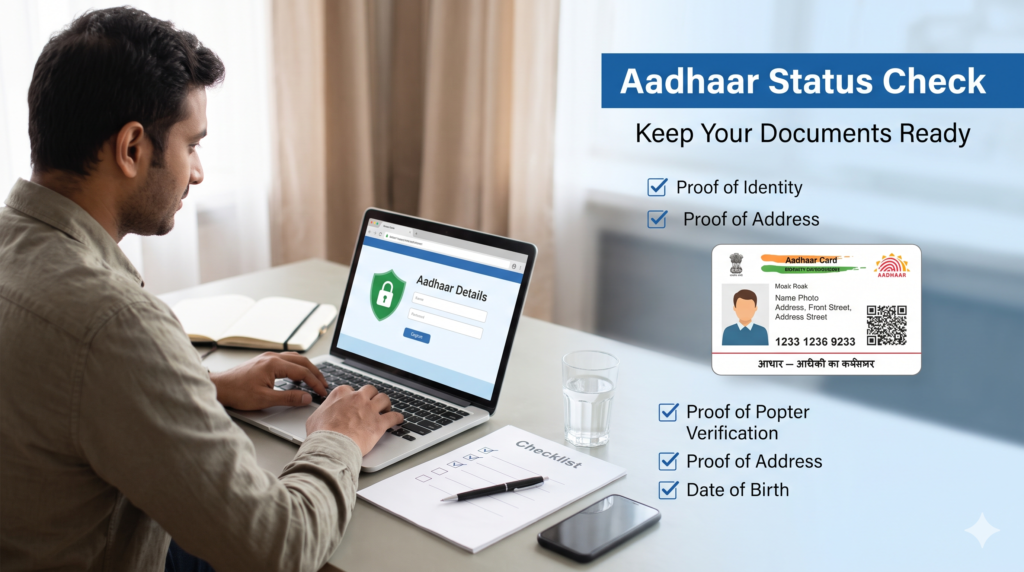
Aadhaar Card में Name, Date of Birth और Address कैसे Correct करें?
Table of Contents
An Aadhaar card is an important identity document used for many government and private services in India. It may be required for identity verification, banking services, welfare schemes and other official purposes. If your name is misspelled, your date of birth is incorrect, or your address has changed, it is important to understand the correct update process.
This guide explains Aadhaar Card Correction in simple language, including which details can be updated online, which changes require a visit to an Aadhaar centre, what documents you may need and how to check your request status.
Before starting an Aadhaar Card Correction request, remember that the process depends on the information you want to change. Address updates are available through official online services, while name and date-of-birth corrections generally require a visit to an authorised Aadhaar Enrolment Centre or Aadhaar Seva Kendra. Always check the latest instructions on the official UIDAI website.
What Is Aadhaar Card Correction?
Aadhaar Card Correction means updating or correcting information recorded in your Aadhaar profile. The purpose is to ensure that your Aadhaar details accurately reflect your valid identity and supporting documents.
You may need an Aadhaar Card Correction if:
- Your name contains a spelling mistake.
- Your surname has changed after marriage or another legal event.
- Your date of birth was recorded incorrectly.
- You have moved to a new residential address.
- Your address in Aadhaar does not match your current address.
- Your personal details were entered incorrectly during enrolment.
The Unique Identification Authority of India (UIDAI) manages Aadhaar services. It provides online services for selected updates and in-person services through authorised enrolment and update centres.
For related information, read our guide on how to update your Aadhaar mobile number online or offline.
Which Aadhaar Details Can You Update?
Before beginning an Aadhaar Card Correction, identify the exact field that needs correction. Different fields have different rules and verification requirements.
| Aadhaar detail | General update method |
|---|---|
| Name | Visit an authorised Aadhaar centre |
| Date of birth | Visit an authorised Aadhaar centre |
| Address | Online through eligible UIDAI services or at a centre |
| Mobile number | Visit an authorised Aadhaar centre or use another officially supported method |
| Photograph and biometrics | Visit an authorised centre |
| Other demographic details | Availability depends on the field and current UIDAI services |
The online services available to residents may change. Check the official UIDAI Aadhaar update page before making a request.
How to Correct Your Aadhaar Name
If your name is misspelled or does not match your supporting documents, you may need an Aadhaar Card Correctionfor the name field.
For example, your Aadhaar may show an incorrect spelling of your first name, an incomplete surname or a name that differs from your valid identity document.
Documents required for name correction
The exact documents depend on the type of change. UIDAI maintains an official list of accepted supporting documents. Commonly relevant documents may include a valid identity document showing your correct name.
For a first-name or full-name change, UIDAI’s published guidance specifies a Gazette notification from the State or Union Government along with an older proof of identity showing the name recorded in Aadhaar. Requirements can vary according to the circumstances, so verify the current document list before visiting the centre.
Do not assume that every document is accepted for every type of name change.
Steps to correct your name
- Visit the official UIDAI website and locate an authorised Aadhaar Enrolment Centre or Aadhaar Seva Kendra.
- Check the accepted document requirements for your particular correction.
- Carry your Aadhaar details and original supporting documents.
- Ask the operator to update the name according to your valid documents.
- Carefully check the spelling and other details entered by the operator.
- Complete the required authentication and pay the applicable fee.
- Collect the acknowledgement receipt containing your Update Request Number (URN), where issued.
- Keep the receipt until your request is processed.
This is the standard in-person route for a name-related Aadhaar Card Correction. Do not rely on unofficial websites that claim they can change your name directly without UIDAI verification.
How many times can you change your name?
UIDAI’s published guidance states that the name field can generally be updated twice during a person’s lifetime. If you have already reached this limit, an additional change may require an exceptional process and supporting evidence.
Contact UIDAI through its official support channels before submitting another Aadhaar Card Correction request if you have reached the permitted limit.
How to Correct Your Date of Birth in Aadhaar
An incorrect date of birth can create problems when your age or identity details need to be verified. If your Aadhaar shows the wrong day, month or year, you should follow the official correction procedure.
At present, date-of-birth correction generally requires a visit to an Aadhaar Enrolment Centre or Aadhaar Seva Kendra. Do not assume that you can change your date of birth using the ordinary online address-update facility.
Documents required for date-of-birth correction
You must provide an accepted document that supports your correct date of birth. Depending on the applicable UIDAI document list and your circumstances, an accepted birth-related or educational document may be relevant.
The document must meet UIDAI’s current requirements. Check the official supporting-document list before travelling to a centre.
Steps to correct your date of birth
- Find an authorised Aadhaar update centre.
- Check the accepted date-of-birth documents on the UIDAI website.
- Carry your Aadhaar details and the original supporting document.
- Request a date-of-birth correction.
- Ask the operator to verify the day, month and year carefully.
- Complete authentication and pay the applicable charge.
- Collect the acknowledgement receipt and save your request number.
- Track the request through official UIDAI services.
Before submitting an Aadhaar Card Correction request for date of birth, compare the date on your document with the date you want recorded. A typing mistake during submission may lead to another correction request.
How many times can the date of birth be changed?
UIDAI’s published rules generally permit a date-of-birth update only once during a person’s lifetime. Further changes may be considered only under exceptional circumstances and according to UIDAI’s procedure.
If your date of birth has already been updated once, contact UIDAI at its official helpline, 1947, to understand the applicable process. Do not submit false documents or use an agent who promises guaranteed approval.
How to Update Your Aadhaar Address Online
Address correction is different from name and date-of-birth correction because eligible residents can use UIDAI’s online services for address updates.
You may need an address update if you have moved to another home, changed your residential location or noticed an error in the address recorded in Aadhaar.
Documents required for address update
You generally need a valid Proof of Address (PoA) document accepted by UIDAI. The document should support the address you want to record.
The accepted list may include eligible documents such as certain bank statements, utility bills, passports or other officially recognised proofs, subject to the exact document conditions. Do not assume that every bill or statement qualifies.
Check the latest UIDAI supporting-document list before uploading anything.
Steps to update your address online
- Open the official myAadhaar portal.
- Log in using your Aadhaar number and the OTP sent to your registered mobile number, as required by the portal.
- Select the available address-update service.
- Enter the correct address carefully.
- Upload a clear scan or image of an accepted Proof of Address document.
- Review the address and document before submitting the request.
- Pay any fee displayed by the official portal, if applicable.
- Save the acknowledgement or Service Request Number provided.
- Check the status through the official portal.
These steps explain the general online route for an Aadhaar Card Correction involving an address. The exact screens and service names may change as UIDAI updates its portal.
Can you update your address without your registered mobile number?
Online services generally require access to the registered mobile number for authentication. If you cannot receive the required OTP, visit an authorised Aadhaar centre to ask about the available address-update procedure.
For a simple address correction, make sure the document clearly supports the new address. An unclear upload, mismatched details or an unacceptable document may cause the request to be rejected.
How to Correct Your Aadhaar Address at a Centre
If you cannot complete an online request, an in-person Aadhaar Card Correction for address may be a suitable option.
Follow these steps:
- Locate an authorised Aadhaar Enrolment Centre or Aadhaar Seva Kendra.
- Check which Proof of Address documents are accepted.
- Carry your Aadhaar details and original supporting document.
- Tell the operator that you want to update your address.
- Review the complete address before confirming the request.
- Complete authentication and pay the applicable charge.
- Keep your acknowledgement receipt and request number.
You can locate centres through the official Bhuvan Aadhaar portal. Check the centre’s services and operating hours before visiting.
If your new address is different from the address on your supporting document, first determine whether you have an acceptable document for the address you want to enter.
Documents Required for Aadhaar Card Correction
The documents you need depend on the field being updated. A Proof of Identity, Proof of Address or proof of date of birth may be required according to the request.
| Correction type | What to check |
|---|---|
| Name | Accepted identity proof and any additional documents required for a name change |
| Date of birth | A document accepted by UIDAI as proof of date of birth |
| Address | An accepted Proof of Address showing the intended address |
| Multiple details | Whether each requested change is supported by the required documents |
For a successful Aadhaar Card Correction, use documents that belong to the Aadhaar holder and meet UIDAI’s requirements. The supporting-document list is the authoritative reference; do not rely only on a list shared by a third-party website.
You can also read our guide to checking government scheme eligibility online to learn how to check eligibility requirements before applying for public benefits.
Aadhaar Card Correction Fees
The fee depends on the type of service and the method used. UIDAI’s published charges currently list a ₹75 charge for a demographic update performed separately at an Aadhaar Enrolment Centre. A demographic update may include a name, date of birth, address, mobile number or email address, subject to the available service.
Document-update services are different from demographic corrections. UIDAI has also published a free online document-update facility through 14 June 2027, subject to the stated conditions. This should not be confused with every type of address, name or date-of-birth correction.
Before making an Aadhaar Card Correction request, check the current fee schedule at UIDAI’s Aadhaar Seva Kendra page and the amount displayed on the official portal or at the centre.
Always ask for the official acknowledgement receipt. Avoid paying unofficial agents who claim to guarantee an update.
How to Check Aadhaar Correction Status
After submitting a request, you may want to know whether your details have been updated.
Use the official UIDAI website or myAadhaar portal to access the status-checking service available for your request.
Steps to check your request
- Keep your acknowledgement receipt ready.
- Find the official Aadhaar update-status service on UIDAI or myAadhaar.
- Enter the requested reference number, such as your URN or SRN, as applicable.
- Complete any required verification.
- Review the status displayed on the official website.
- Follow the instructions if UIDAI requests further action.
An Aadhaar Card Correction request is not approved merely because it has been submitted. It must pass the applicable verification and processing checks.
UIDAI states that most update requests are normally completed within 30 days, but the actual time can vary. If your request remains pending beyond the expected period, check its status and contact UIDAI through official support.
Common Reasons Aadhaar Correction Requests Get Rejected
A request can be rejected if the submitted information or supporting evidence does not meet UIDAI’s requirements.
Common problems include:
- Incorrect document: The document is not on the accepted list for the selected update.
- Mismatch in details: The name, date of birth or address does not match the supporting document.
- Poor image quality: The uploaded scan is unclear, incomplete or difficult to read.
- Incorrect information entered: A spelling mistake or wrong date was entered in the request.
- Unsupported request: The requested change does not comply with applicable UIDAI rules or update limits.
- Verification issue: The information cannot be verified through the required process.
If your Aadhaar Card Correction request is rejected, read the status or reason provided by UIDAI. Correct the issue and follow the official resubmission or exceptional-case procedure, if applicable.
Do not submit altered documents or make repeated requests with the same error.
Important Rules You Should Know
Before you submit an Aadhaar Card Correction request, keep these UIDAI rules in mind:
- Your Aadhaar number remains the same after a demographic update.
- Name changes are generally limited to twice during a lifetime.
- Date-of-birth changes are generally limited to once during a lifetime.
- Additional changes beyond the limits may require exceptional handling and supporting evidence.
- Name and date-of-birth corrections generally require an in-person visit.
- Address updates may be available online if you meet the portal’s requirements.
- The update must be supported by valid documents where required.
- Approval is subject to UIDAI’s verification process.
For other government-service information, you can read our guides on Ayushman Bharat Card eligibility and benefits and PM Kisan Samman Nidhi status checking. These are separate services, and their eligibility and verification requirements should be checked independently.
Official Website for Aadhaar Card Correction
Use official UIDAI resources whenever you need to update personal details.
- UIDAI website: https://uidai.gov.in/
- myAadhaar portal: https://myaadhaar.uidai.gov.in/
- Aadhaar update information: https://uidai.gov.in/en/updating-data-on-aadhaar
- Aadhaar centre locator: https://bhuvan-app3.nrsc.gov.in/aadhaar/
- UIDAI helpline: 1947
For an Aadhaar Card Correction, avoid websites that ask you to share your Aadhaar OTP, PIN or other authentication details unnecessarily. Never share an OTP with an unknown caller or agent.
Conclusion
Correct Aadhaar details can help reduce identity-verification problems when using eligible government and private services. The right process depends on whether you need to correct your name, date of birth or address.
For an Aadhaar Card Correction involving your name or date of birth, check the latest UIDAI instructions and prepare the required documents before visiting an authorised centre. For an address change, check whether the online service is available to you and upload an accepted Proof of Address.
Always verify fees, document requirements, update limits and request status through official UIDAI channels. Keeping your Aadhaar information accurate is important, but approval depends on the official verification process.
Frequently Asked Questions
1. Can I correct my Aadhaar name online?
Name correction generally requires a visit to an authorised Aadhaar Enrolment Centre or Aadhaar Seva Kendra. Check UIDAI’s current instructions before applying.
2. Can I change my date of birth in Aadhaar online?
The standard online address-update service does not support date-of-birth correction. Visit an authorised Aadhaar centre with an accepted date-of-birth document.
3. Can I update my Aadhaar address online?
Yes, eligible residents can use the official myAadhaar portal to submit an address update with an accepted Proof of Address document and the required authentication.
4. How many times can I change my name in Aadhaar?
UIDAI’s published rules generally allow two name updates during a lifetime. Further changes may require an exceptional process.
5. How many times can I correct my date of birth?
The date of birth can generally be updated once during a lifetime. Contact UIDAI for guidance if you need another correction.
6. What is the fee for Aadhaar demographic correction?
UIDAI currently lists ₹75 for a demographic update performed separately at an Aadhaar Enrolment Centre. Check the latest official fee schedule before applying.
7. How long does Aadhaar correction take?
UIDAI states that most update requests are normally completed within 30 days. Processing time can vary, so check your request status online.
8. Will my Aadhaar number change after correction?
No. Your Aadhaar number remains the same when your demographic details are updated.
Internal Link Suggestions
The following five internal links are included in the article body:
- Aadhaar Mobile Number Update Online or Offline
- Check Government Scheme Eligibility Online
- Ayushman Bharat Card: Eligibility, Benefits and Application
- PM Kisan Samman Nidhi Status Check
- UIDAI Official Aadhaar Update Information (official external resource, not an internal link)
Verified Official Sources
- UIDAI — Updating Data on Aadhaar: https://uidai.gov.in/en/updating-data-on-aadhaar
- UIDAI — Enrolment and Update FAQs: https://uidai.gov.in/hi/enrolment-and-update
- UIDAI — Aadhaar Seva Kendra and Charges: https://uidai.gov.in/hi/aadhaar-seva-kendra
- UIDAI — Official Aadhaar Website: https://uidai.gov.in/
- Bhuvan Aadhaar Centre Locator: https://bhuvan-app3.nrsc.gov.in/aadhaar/